

 English


Feb 3, 2026
How to Configure the Spanish Equivalence VAT Surcharge in Shopkeeper
To configure the Spanish Equivalence VAT Surcharge in Shopkeeper following the following simple steps:
-
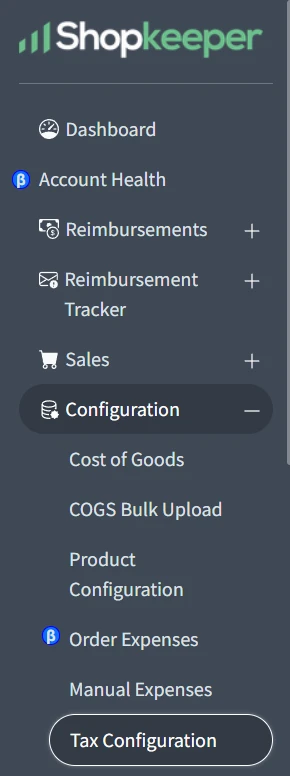
Click on "Configuration" found in the left-hand side menu.
-
Then click on "Tax Configuration.”
-
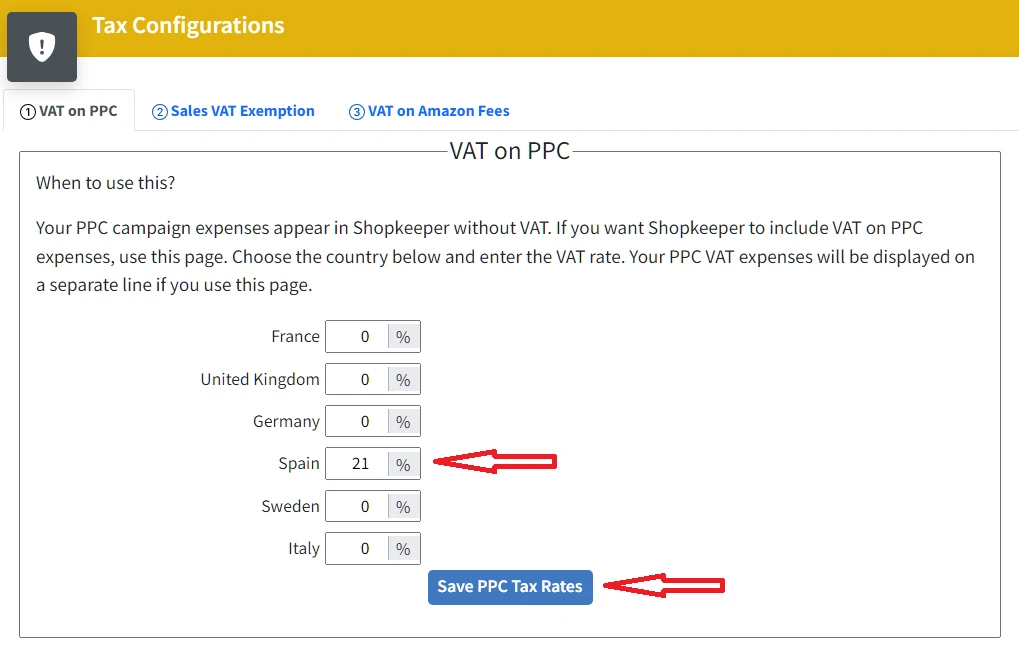
On the Tax Configuration page, click on "VAT on PPC". Enter 21% as the VAT percentage in Spain. Then click on the blue "Save PPC Tax Rates" button.
-
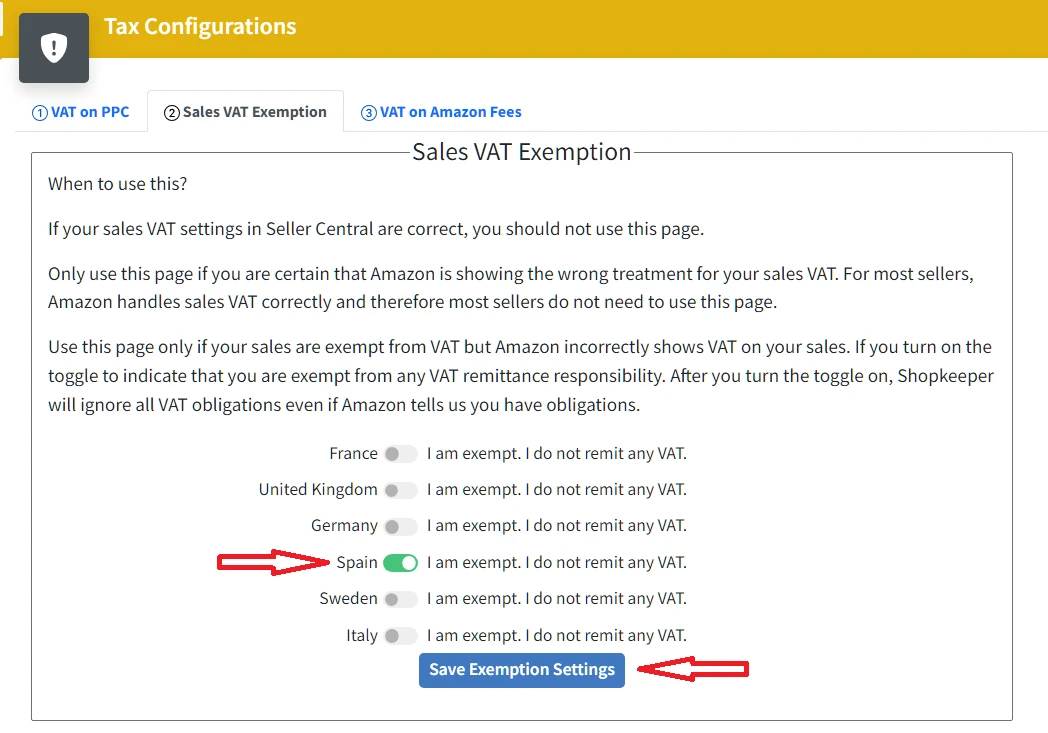
On the Tax Configuration page, click on "Sales VAT Exemption". Enable the option for Spain. "I am exempt. I do not remit any VAT". Then click on the blue "Save Exemption Settings" button.
-
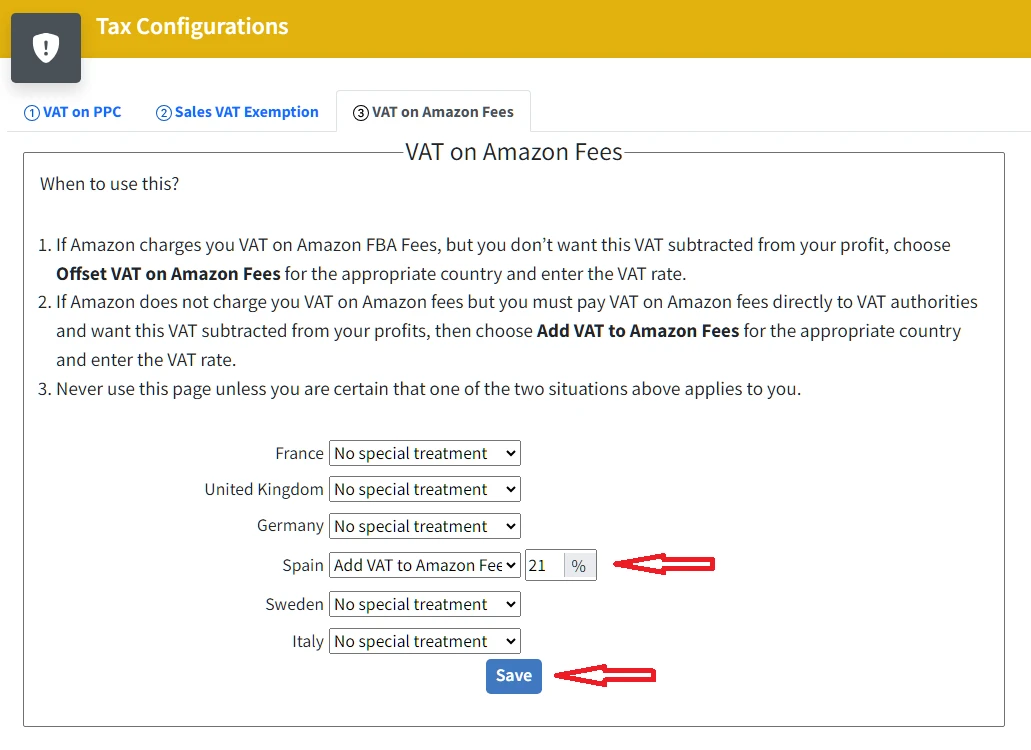
On the Tax Configuration page, click on "VAT on Amazon fees". In Spain, select the option to add VAT to Amazon rates and enter 21%. Click on the blue "Save" button.
-
Finally, to reflect the actual profit values, you must enter the costs of your products with 26.2% VAT..
FAQ: Configuring the Equivalence Surcharge
Who should opt for the Equivalent Surcharge?
For this particular case, any Amazon seller in Spain who sells retail products that have not been transformed by them to the end customer.
What percentage is the Equivalent Surcharge?
The Equivalent Surcharge consists of the 21% VAT in Spain plus an additional 5.2%. Therefore, the product cost for the seller must include 26.2% VAT.


