

 English


Dec 1, 2022
How to Filter for Business Sales on Amazon Using Shopkeeper
As an Amazon seller, it’s important to know the exact split of your orders and revenue. How many are FBA vs FBM? Business orders vs retail orders?
Yet most sellers don’t even know how to find this info on Amazon. Here’s how you can check for Business orders in Seller Central:
-
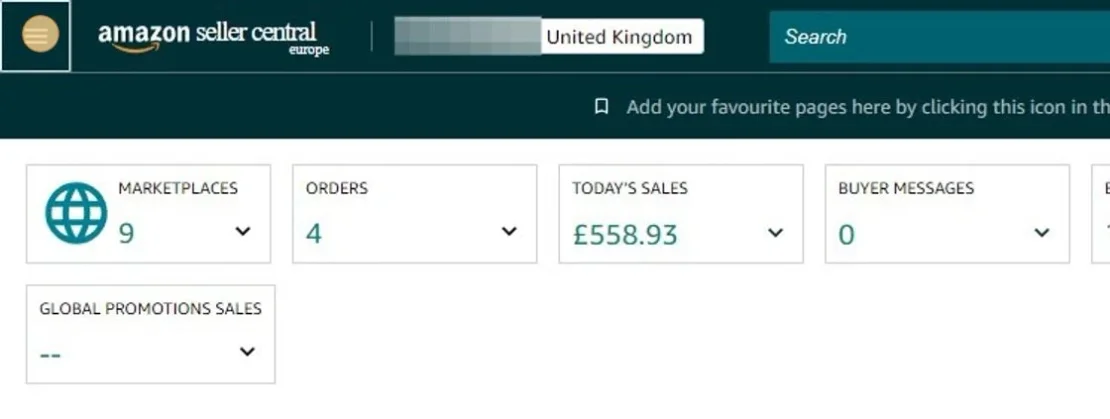
Click the menu icon
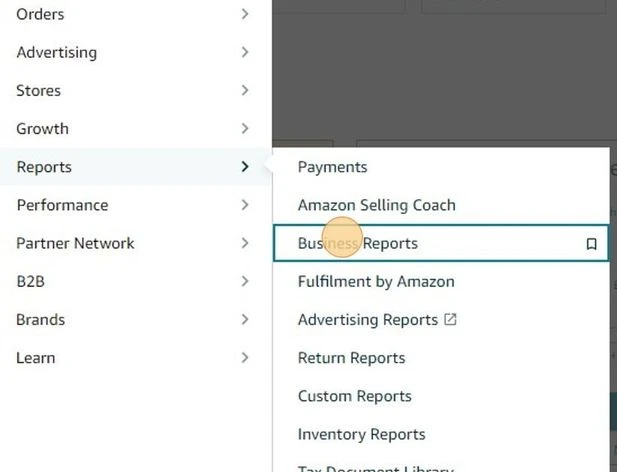
3. Go to "Reports" > "Business Reports"
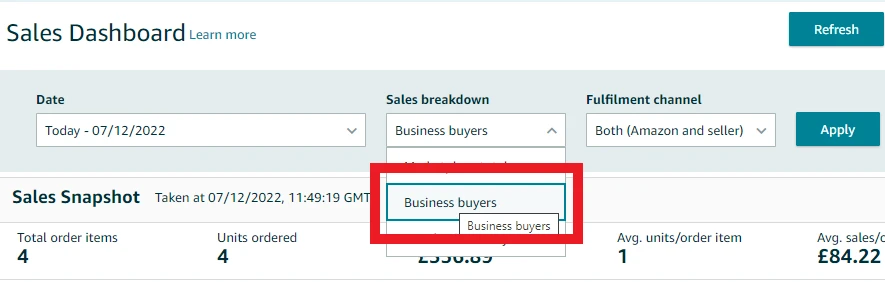
4. Under "Sales breakdown" > select "Business buyers"
But as a Shopkeeper user this is much easier and can be done in one simple click.
On your Sales page, you simply click on the Order Type filter and select Business orders
And that’s all there is to it! 1 click on Shopkeeper vs 7 on Seller Central.
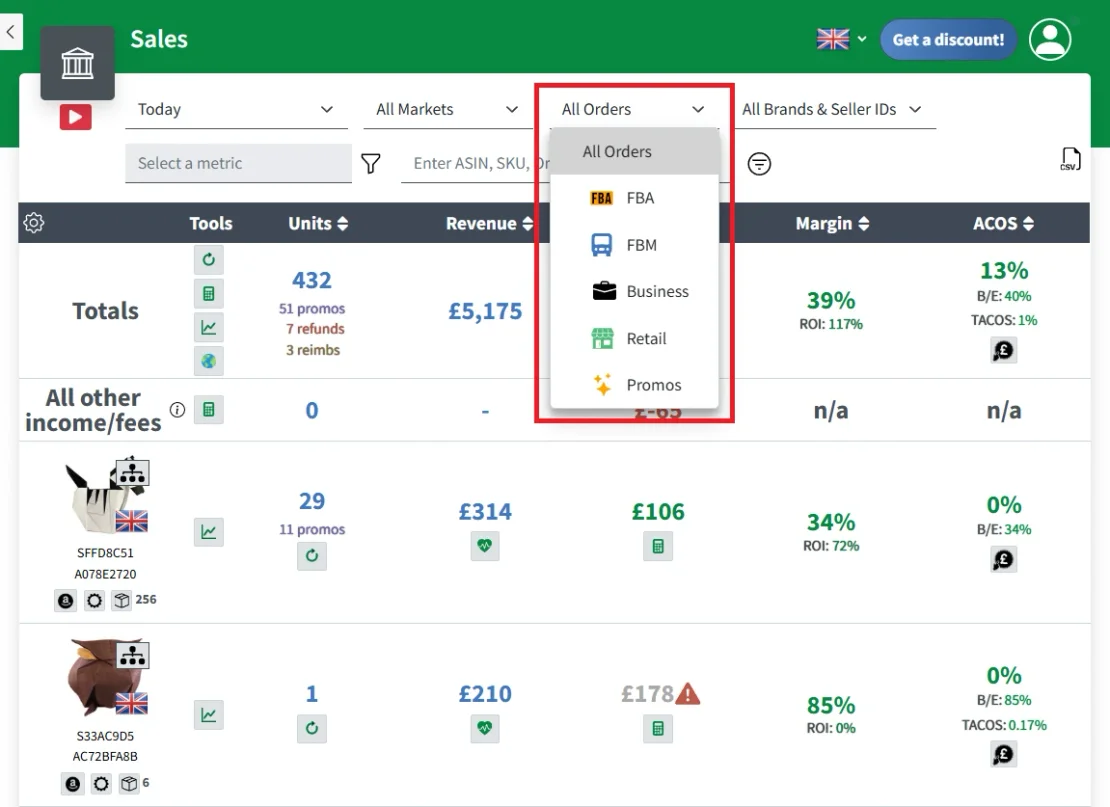
You will now have a full list of your business orders for your selected time period and can see the exact breakdown of sales and profit vs retail orders.
This will allow you to accurately track trends in your sales and make informed business decisions - the Shopkeeper way!


