

 English


Apr 6, 2025
HelloProfit vs. Fetcher vs. Shopkeeper
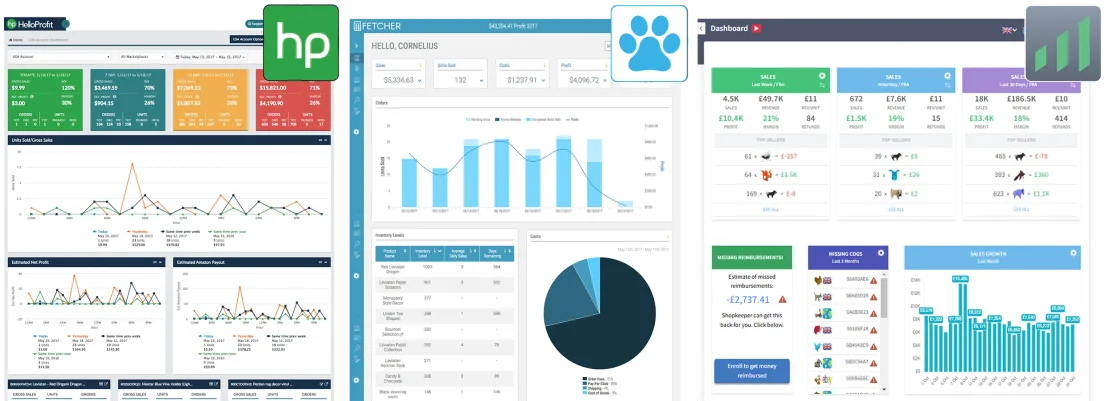
This is a comparison review of the three popular profit dashboard tools for Amazon sellers - Hello Profit, Fetcher and Shopkeeper.
What fees and costs are accounted for?
Here is a table with a list of fees and costs, showing if they are included or not in the three apps.
TABLE 1
What Amazon marketplaces are supported?
There are 11 countries where you can sell your products on a country-specific Amazon marketplace. Here is a list of which countries each of the software tools supports. The bigger the marketplace, the more apps support it.
TABLE 2

HelloProfit combines the stats for USA, Canada, and Mexico into one number, and UK, Germany, France, Italy, Spain - into another number. There is no way to see all stats summed up into one. HelloProfit charges a $29 extra monthly fee for additional marketplaces.

Fetcher does not combine the countries at all, each country will have to be viewed separately, using a country switch that they provide. Switching back and forth like this is difficult, especially if you sell in many marketplaces. There is no charge for additional connected marketplaces.

Stats from all marketplaces are summed up together in Shopkeeper. It's converted to the currency of your choice and displayed as one number. Shopkeeper is the only one that supports Amazon Japan and Amazon India. There is no charge for additional connected marketplaces.
How do other features compare?
TABLE 3
What are the pros and cons of each Dashboard?
HelloProfit’s Dashboard looks like this:
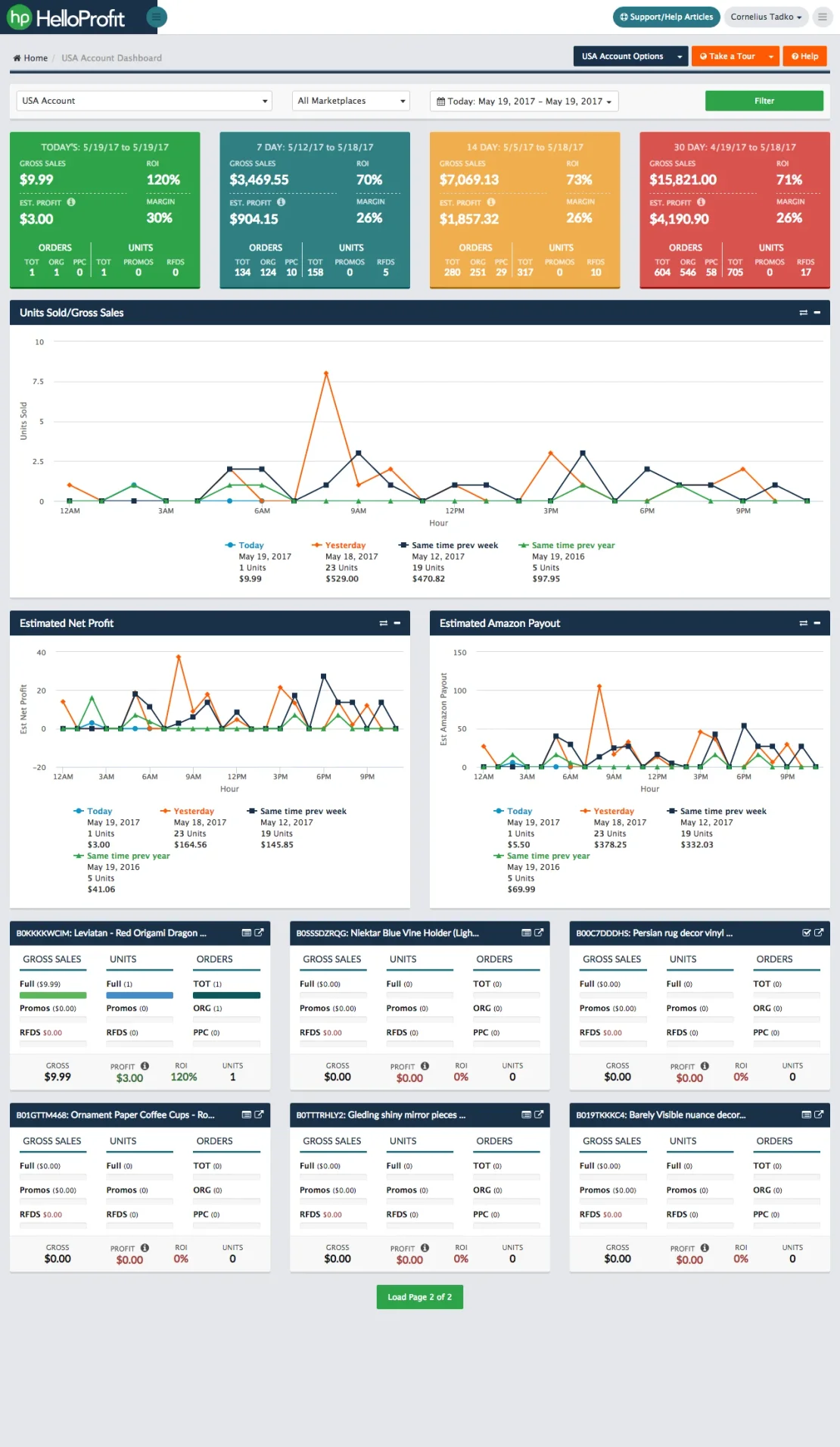
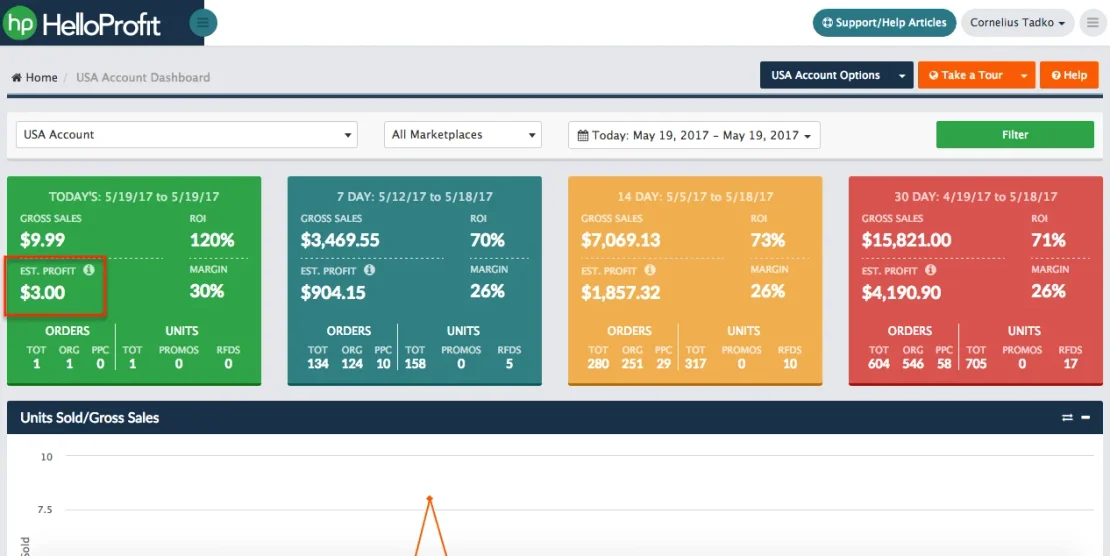
I often refresh the page and just check this one number out of the whole dashboard. It tells me how much profit I made today so far. It’s the one most useful number for me here:

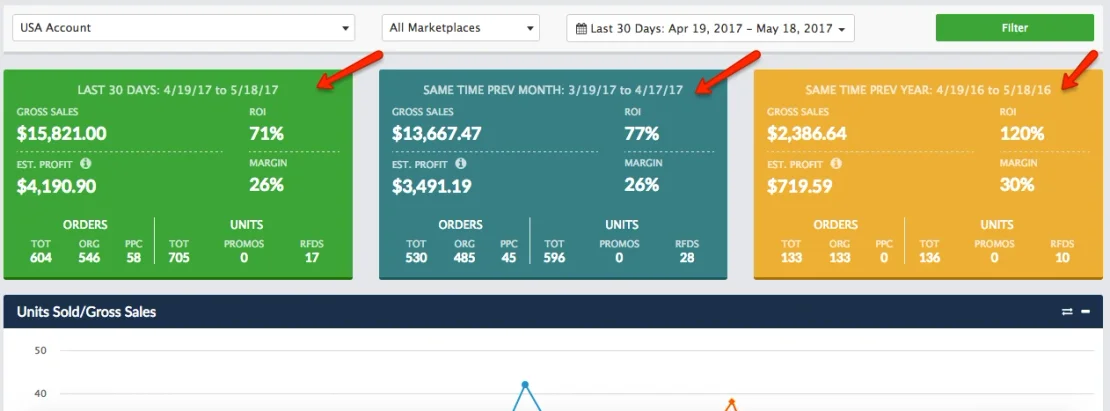
When selecting a custom period, for example Last 30 days, top widgets are different from default dashboard. They compare sales with the previous 30 days and the same period last year. It's a very handy feature to evaluate trends:
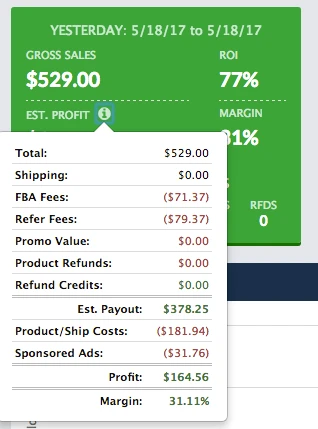
The breakdown of all expenses is great - it includes exact Amazon Fees, PPC, Promos, Refunds, Manufacturing Costs. It also shows me my Profit Margin, which I like to look at:
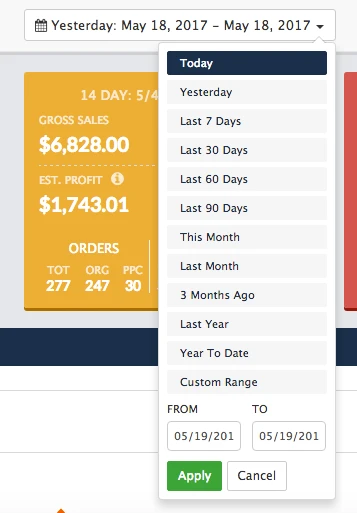
Great selection of pre-defined date periods, and an option to select a custom date range:
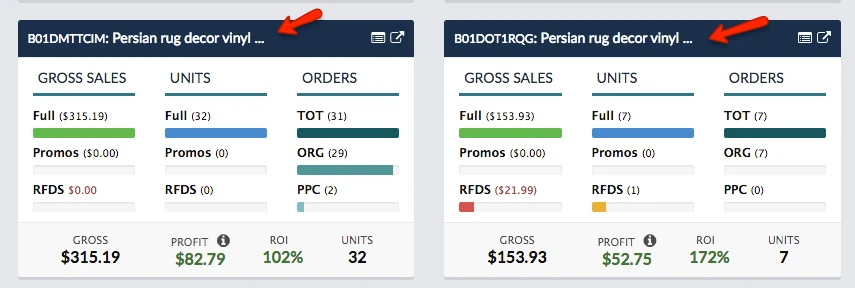
👎 If variations have similar names, it’s hard to tell which one is which in product widgets. Title is cropped, you can only tell them apart by ASINs, which is not helpful for quick overview.
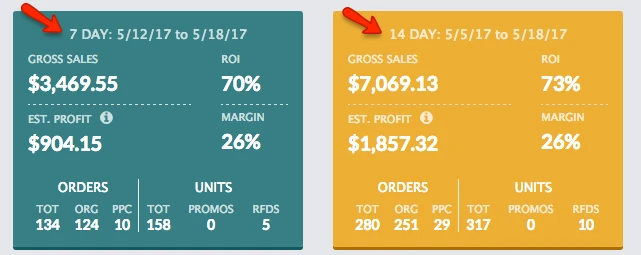
👎 Yesterday is commonly used and would be very handy as a widget. It could replace the not so useful 14 day widget. We already see stats for 7 days, so it’s easy to just double it up in your mind.
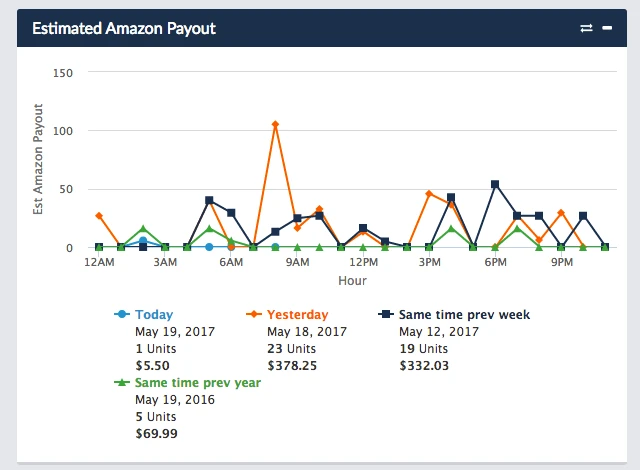
👎 Daily/Hourly Amazon Payout breakdown does not seem so necessary, graph not useful:
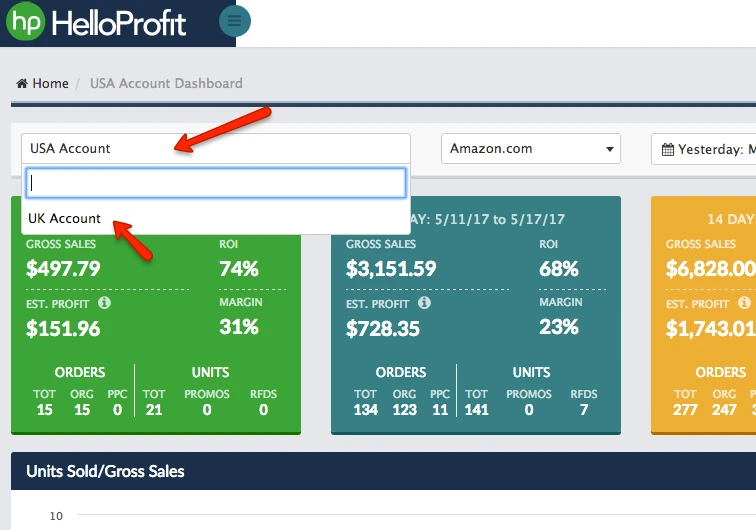
👎 HelloProfit does not combine USA and UK marketplaces, unfortunately. I can only view my profits in each of them separately:
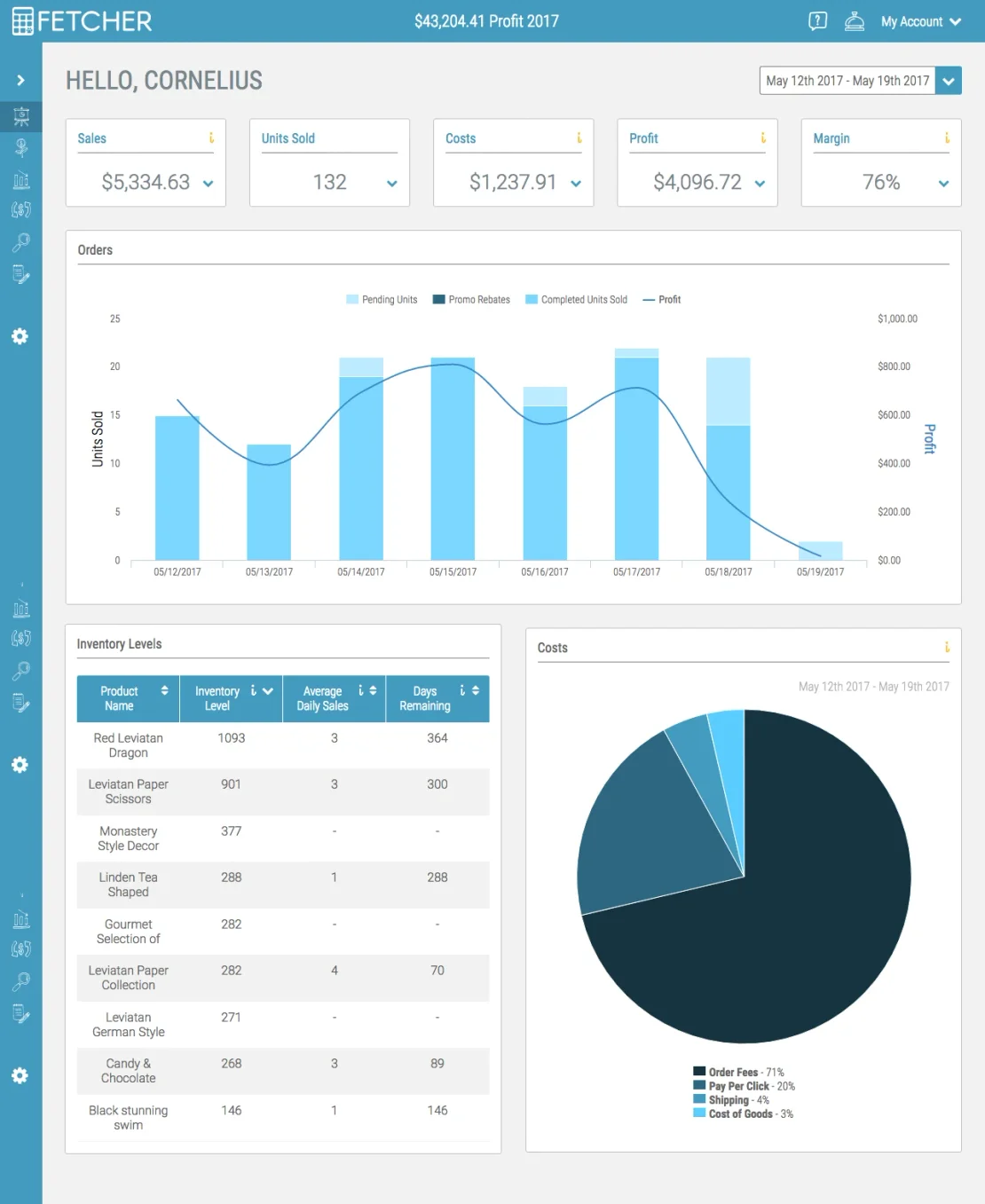
Fetcher’s Dashboard looks like this:
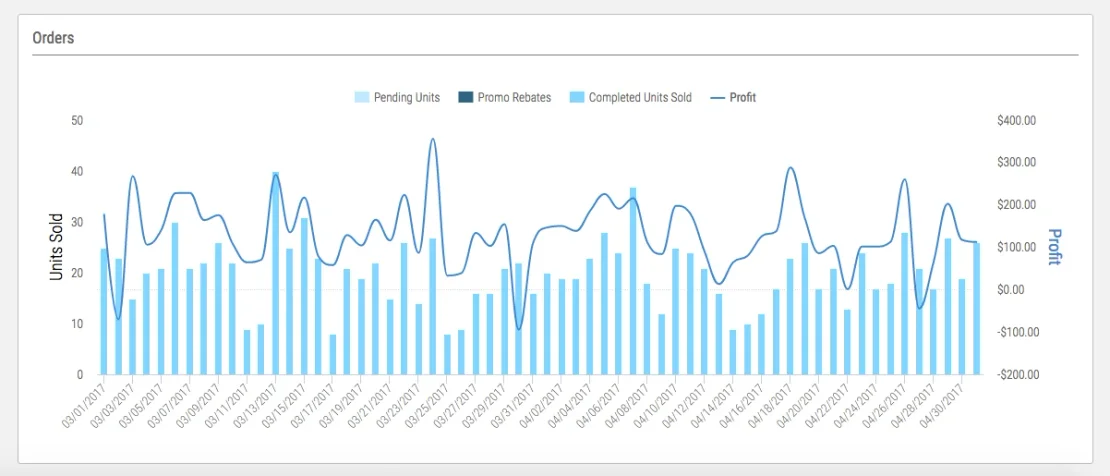
The graph of sales growth is very nice to have. It shows the growth of my overall sales over a selected period, up to a year long:
Fetcher has a great selection of preset date ranges, and an option to choose your own period. The only drawback is that selected period cannot be longer than one year:
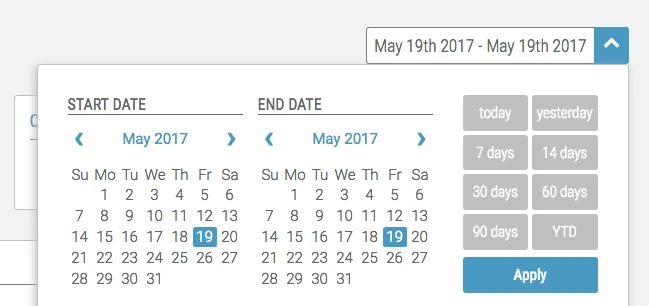
It’s very easy to see one very important number - Today’s Profit:
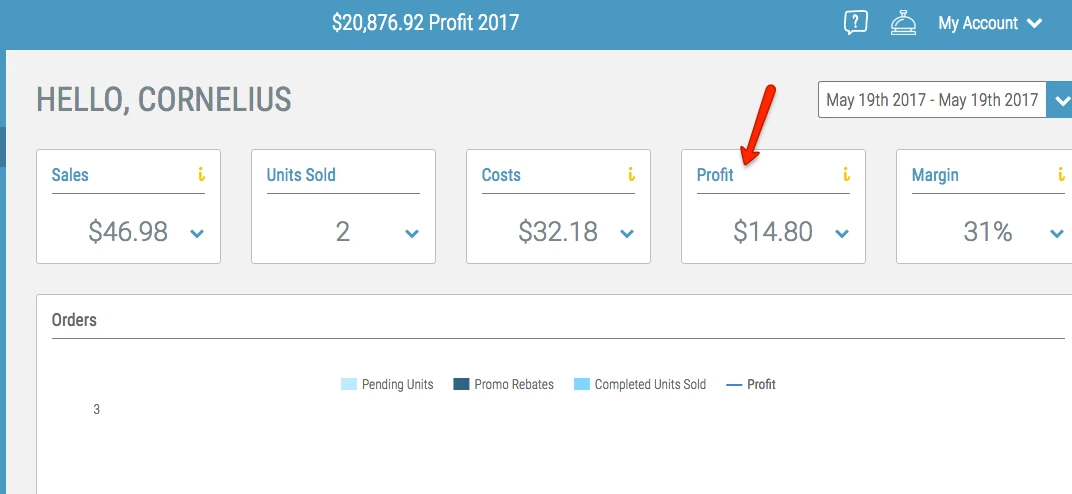
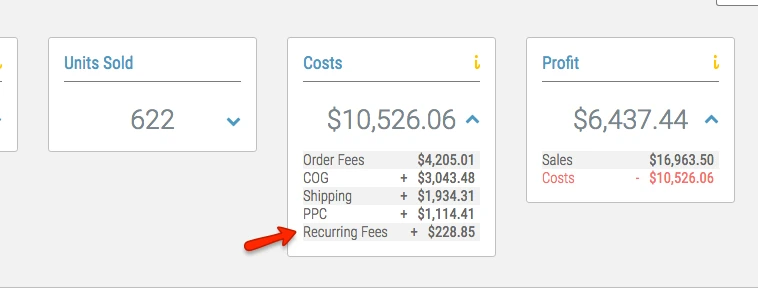
Fetcher includes all non-order fees paid to Amazon, like storage fees, disposal fees, labeling fees, etc. They go under ‘Recurring Fees’:
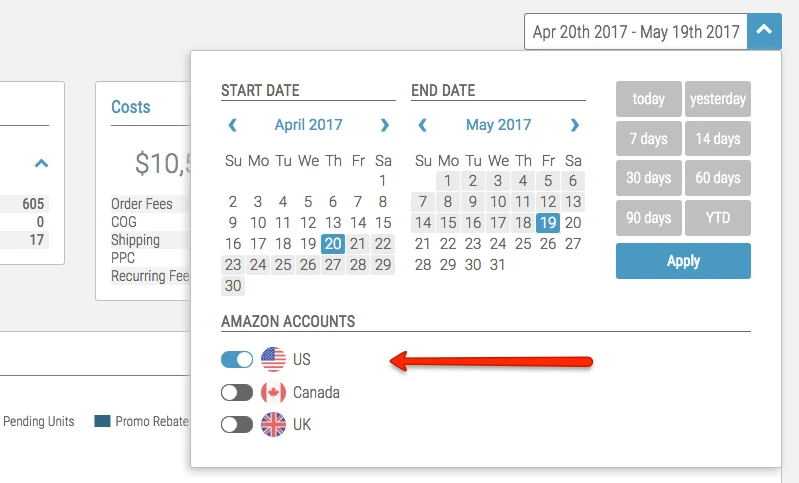
👎 Fetcher does not combine your stats from separate Amazon Marketplaces. You can only view data for each country individually. You'll have to switch which country you’d like to view, and you can only switch one on at a time. It’s hard to tell how your business is doing overall, if you’re selling on multiple marketplaces:
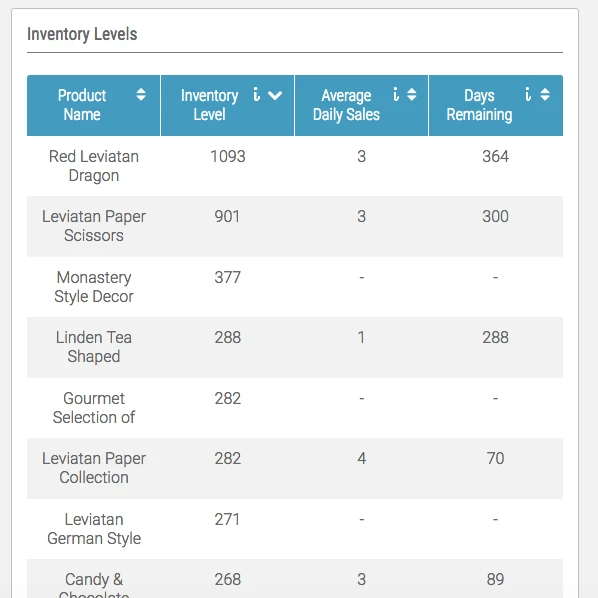
👎 Inventory widget only shows the first three words from the title of each product, so if your variations are named similarly, there is no way to tell one from another:
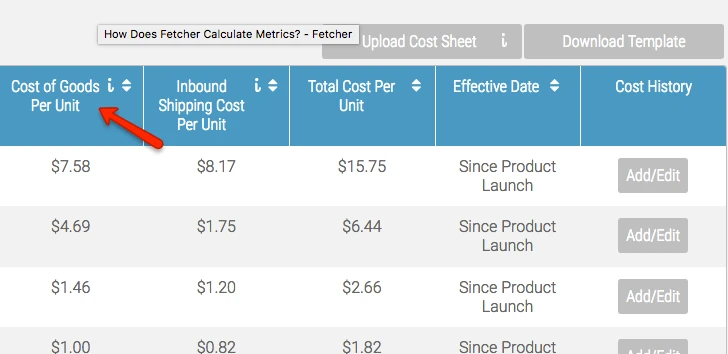
👎 Fetcher does not account for sales tax, like VAT. You will have to manually calculate your VAT and add it to the product manufacturing cost, as a workaround (will work only if you don’t change your product price):
Shopkeeper's Dashboard looks like this:
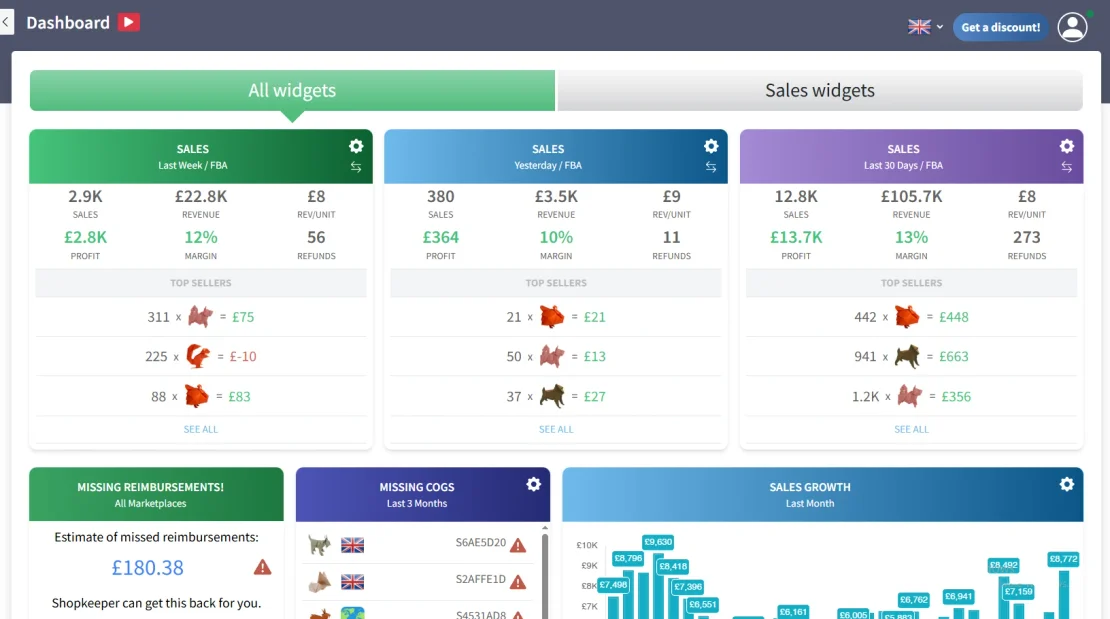
Shopkeeper combines stats from all marketplaces, into one. You can choose your preferred currency, in which to see all the data. It also has a breakdown by marketplace:
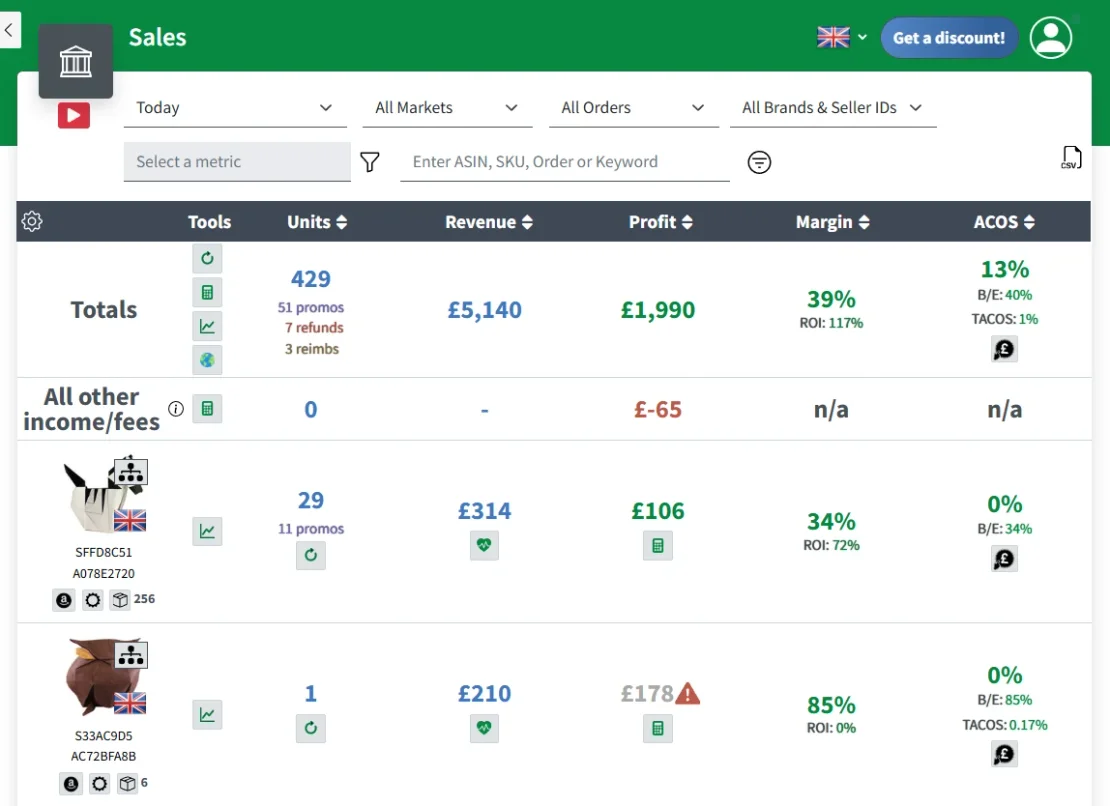
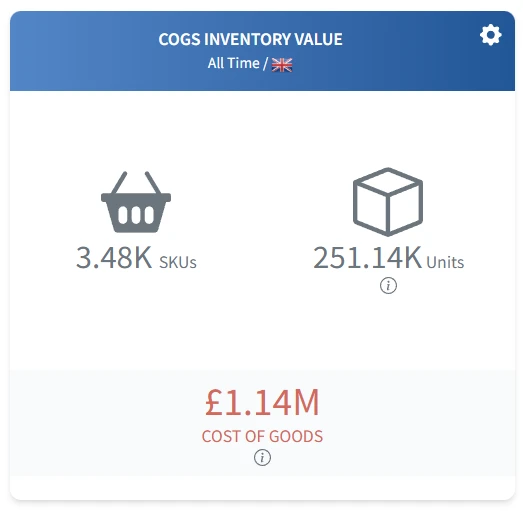
Has useful widgets, like Inventory Value. You can see how much profit you would make if all your inventory would be sold today:
How do these tools look like on mobile?
HelloProfit and Shopkeeper both look beautiful on mobile, while Fetcher is more so intended for desktop users, but can be used on mobile as well:
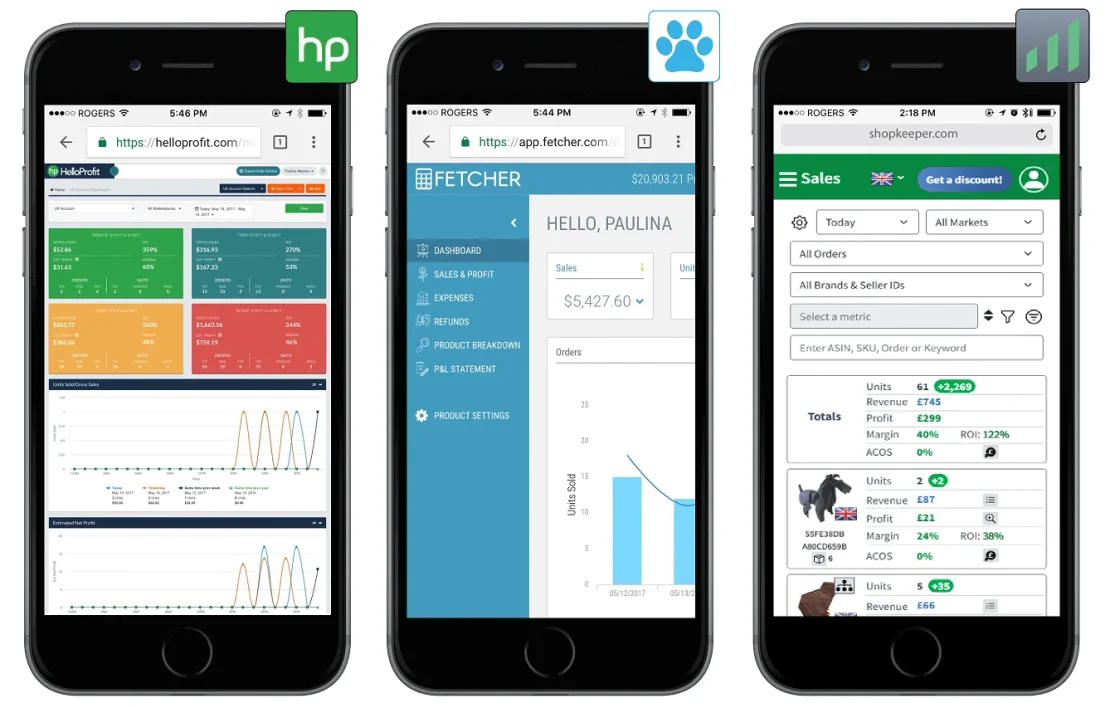
HelloProfit is formatted quite nice for mobile, but on some pages you will still have to zoom in.
With Fetcher, you will have to side-scroll or zoom out, but you will still be able to see your data.
Shopkeeper is designed to show a modified view for mobile, so you will see your data without zooming or side-scrolling.
How do the prices compare?
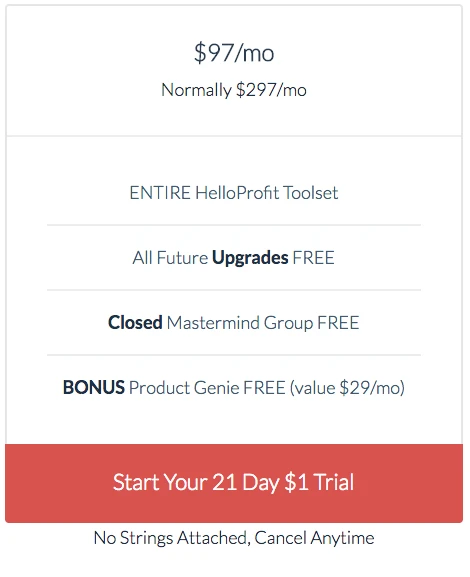
HelloProfit charges one set monthly fee of 97$ for Amazon USA marketplace. It costs an additional 29$ a month to add Amazon UK marketplace:
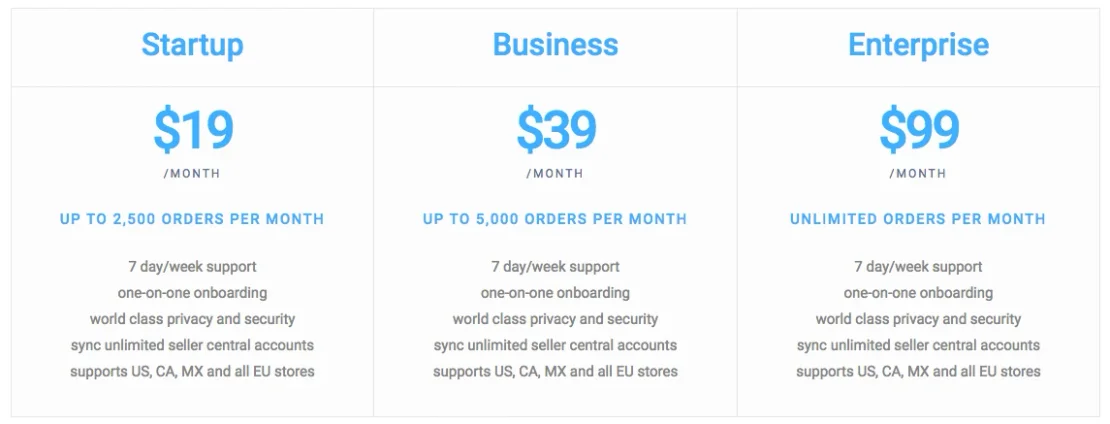
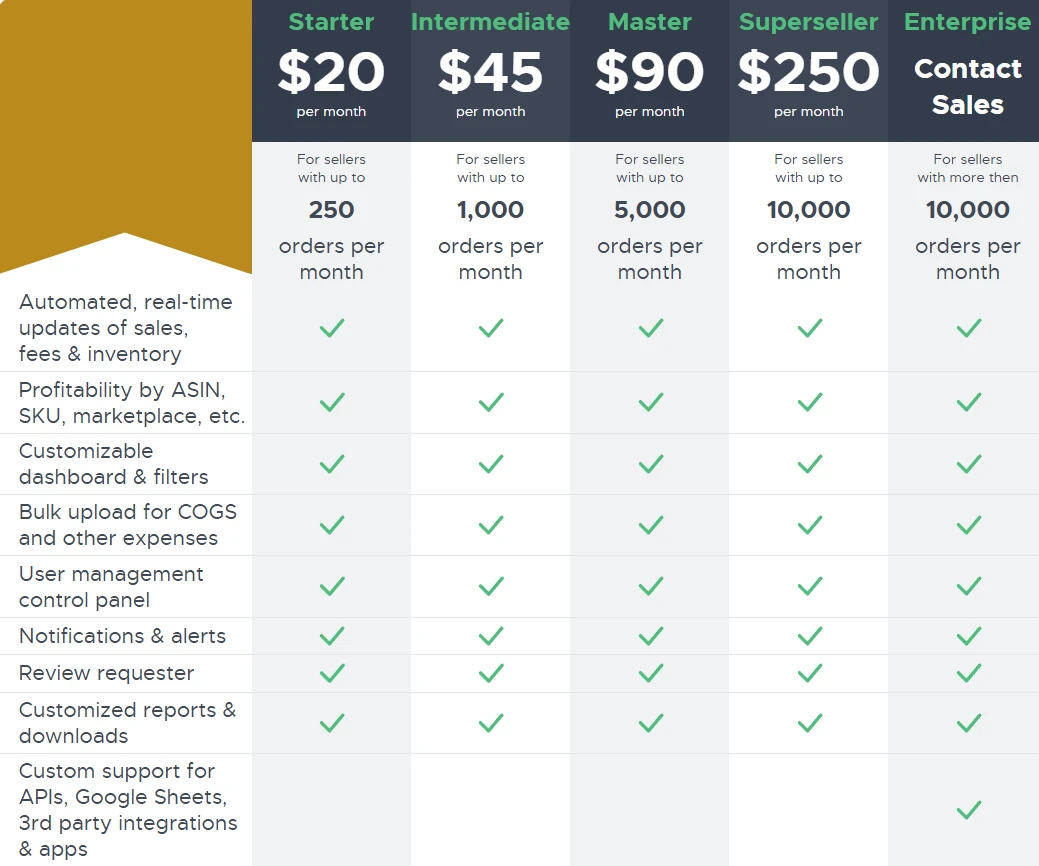
Fetcher’s pricing directly depends on the number of orders you have per month. The more sales you have, the more you pay:
Shopkeeper charges 20$ for the first month, and after that the monthly fee depends on the number of orders you have that month:
Conclusion
Overall, Fetcher offers the most competitive pricing, but your choice will depend on which features and look you prefer more. If you like clean uncluttered interface, which is simple, beautiful and easy to use, and if you sell in Japan or India - Shopkeeper will work the best for you. If you don’t care about the looks and a few small bugs, and if you sell primarily on one Amazon marketplace, you will like Fetcher the most. If you want to use what most sellers are using, time-tested and well trusted, you will choose HelloProfit.


