English


Jan 31, 2026
Amazon Sales Reports from Shopkeeper
Our users know and love Shopkeeper for its simple, easy-to-use Sales page that gives you key financial info about your Amazon business at a glance.
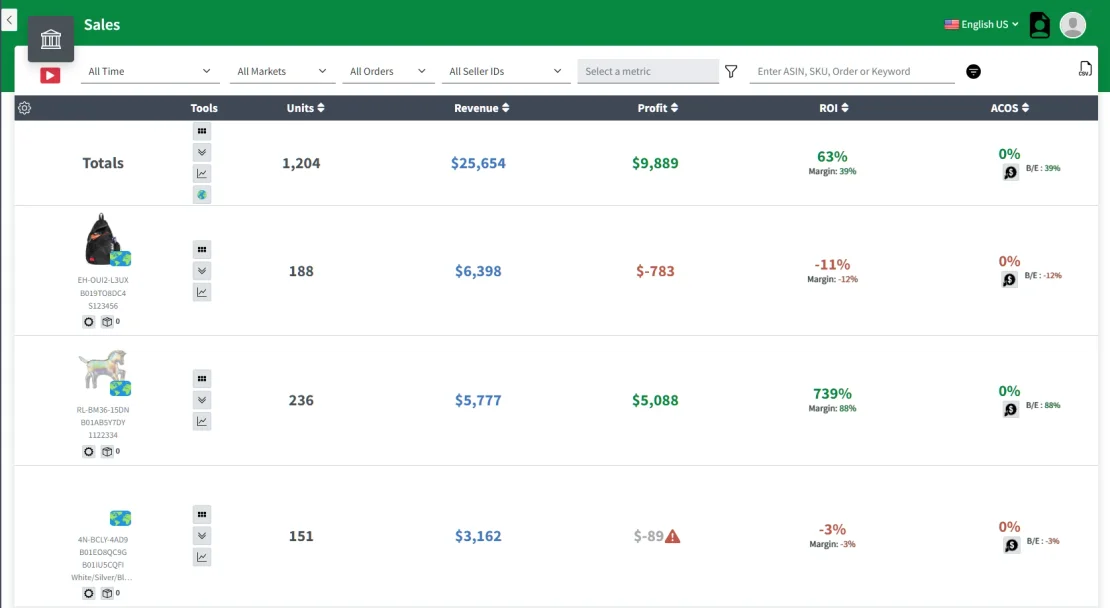
But what if you need this info in a more classic spreadsheet format? Does that mean you need to go back to struggling with Seller Central?
Not at all, as Shopkeeper can do both - pretty profit dashboards and boring spreadsheets!
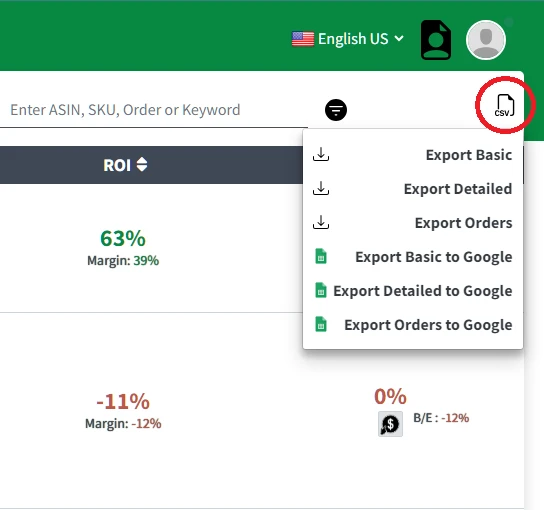
Simply click on the 3 dots menu icon at the right of your Sales page and you’ll be given 3 export options:
-
Basic
-
Detailed
-
Orders
Let’s quickly run through the differences between each one by showing you the column headers for each CSV download.
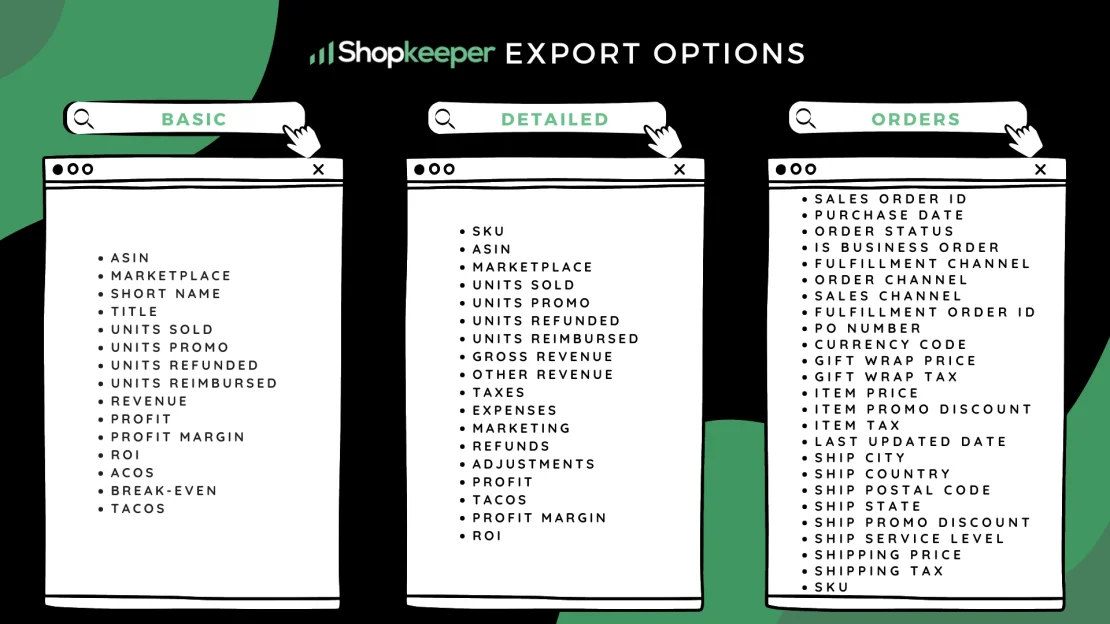
So whether you want basic or detailed financial info or specific order info, the choice is yours - with Shopkeeper all it takes is 2 clicks.
Compare this to Seller Central, where the process for downloading an order report is as follows:

2. Click the menu icon
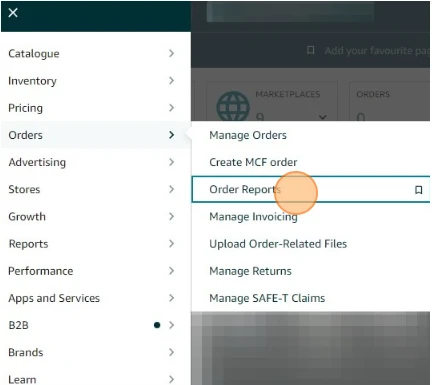
3. Click on “Orders > Order Reports”
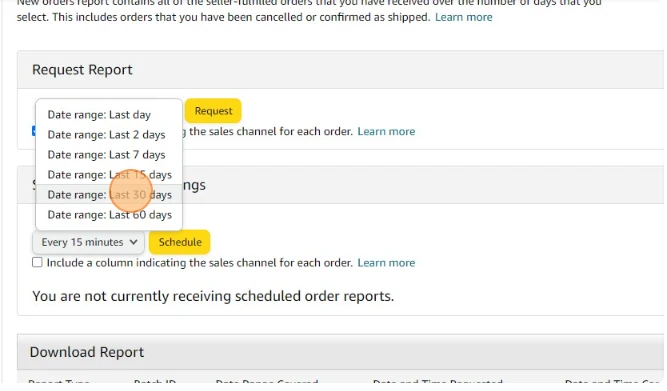
4. Then hit “Request”
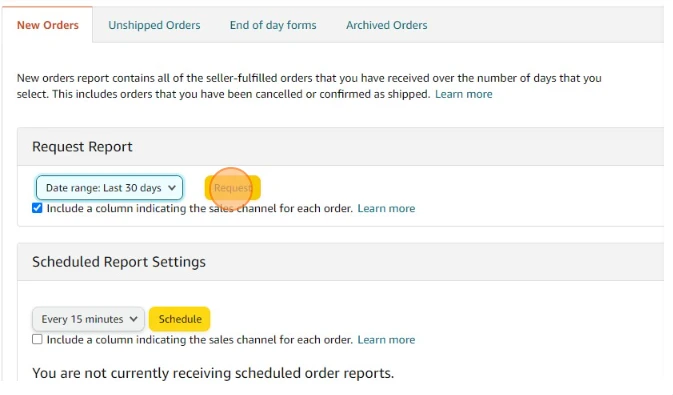
After that, it’s a matter of waiting, as an order report from Seller Central can take “up to 45 minutes” to generate.
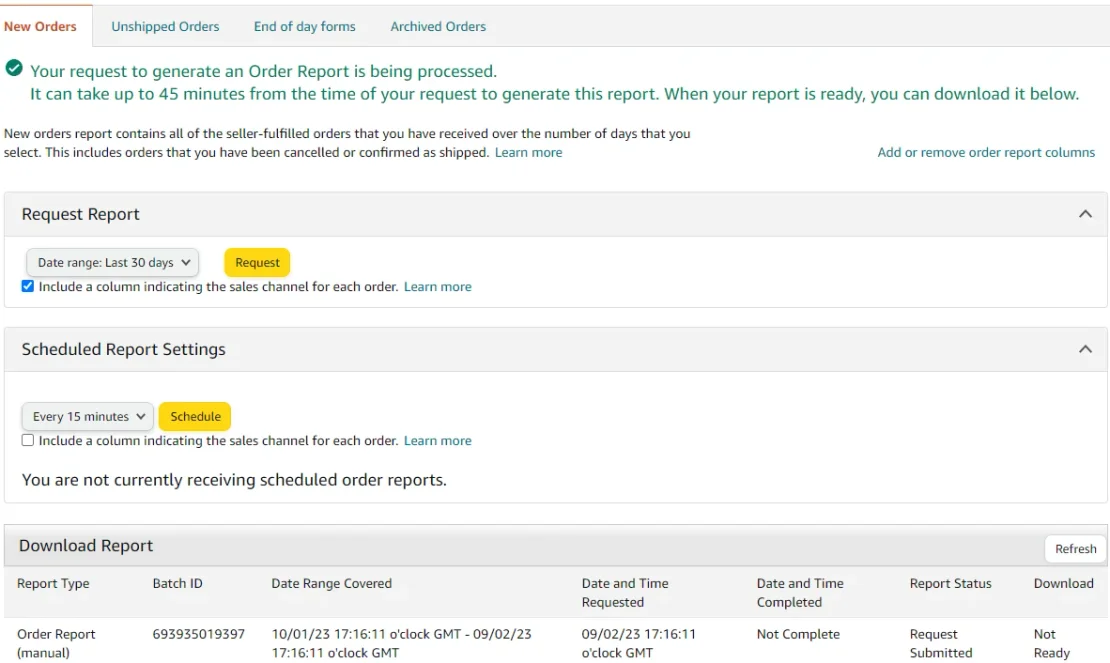
Of course - on Shopkeeper it’s instant. So if you don’t have 45 mins to wait, head to your Sales page now.
And that’s not the only export option you have.
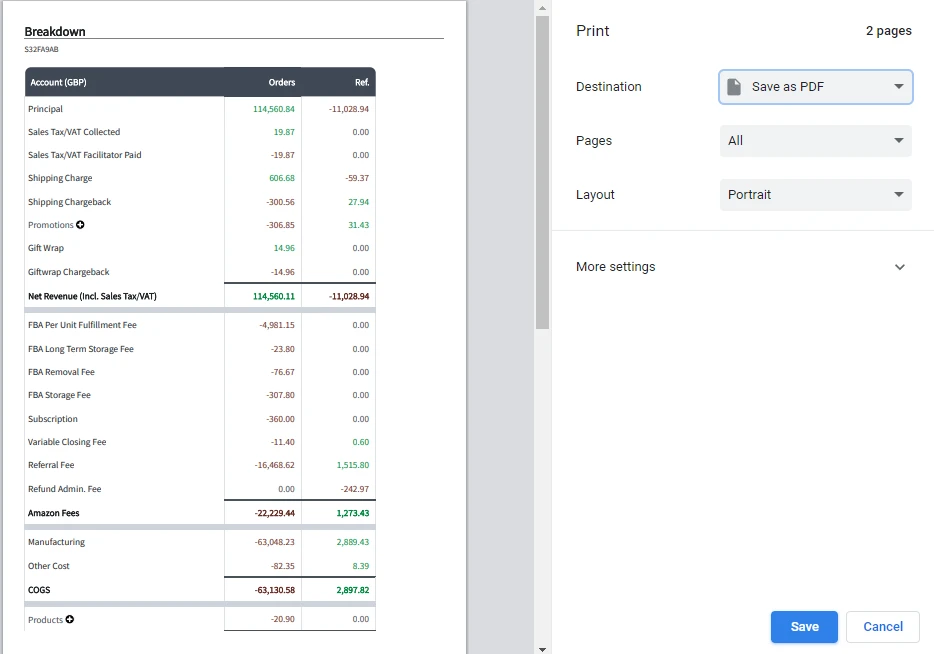
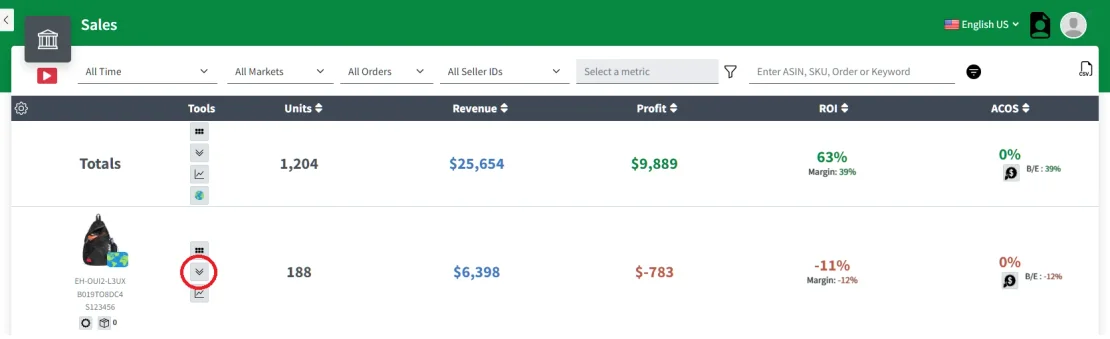
If you want to download sales data for a total time period or for a specific ASIN, but still want the easy formatting, then just click on the Breakdown icon and then the Print icon on the pop-up.
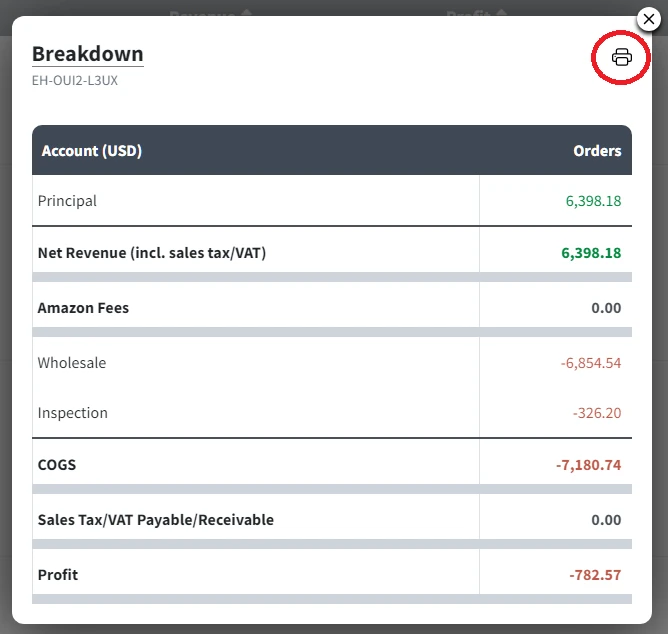
This will allow you to save or print a PDF with the exact same layout as the Breakdown pop-up, which you can then share with your accountant or VA or potential investor!